Vichar Vault
Problem Statement
Most existing note-taking tools are either too rigid (like Notion) or too basic (like Google Keep), lacking a fast, intelligent way to capture fleeting thoughts and reflect on them meaningfully. Users often forget ideas because they can’t log them quickly, or they lose valuable reflections in a sea of unorganized notes. There's a missing link between quick capture, AI-assisted organization, and mindful reflection.
There is no unified tool that balances quick capture, intelligent auto-organization, and structured self-reflection.
💡Core Idea Recap
Prioritizes speed of input (via a button/icon Uses AI to auto-tag and organize entries.
Builds a virtual library or knowledge system
Aims to support personal reflection and growth
🌟 Main Feature That Solves the Problem
A Quick Capture + AI Reflection System, where users can rapidly save notes in any format and the app automatically tags, clusters, and links them to meaningful prompts and past insights, creating a searchable, reflective Vault.
🔨 What will I improve?
Eliminate friction in capturing spontaneous thoughts (text, voice, or image)
Automatically organize notes using AI powered tagging and clustering Introduce a built-in reflection system with prompts and linked insights
Allow users to rediscover past thoughts via visual maps or emotion timelines Offer a calming, mobile-first interface that supports repeated daily use.
👥 Who will Benefit?
Creative professionals (designers, writers, strategists) who ideate constantly
Students & researchers who gather scattered thoughts or reflections
Entrepreneurs/founders who need fast capture and knowledge recall
Anyone with a journaling or mindfulness habit
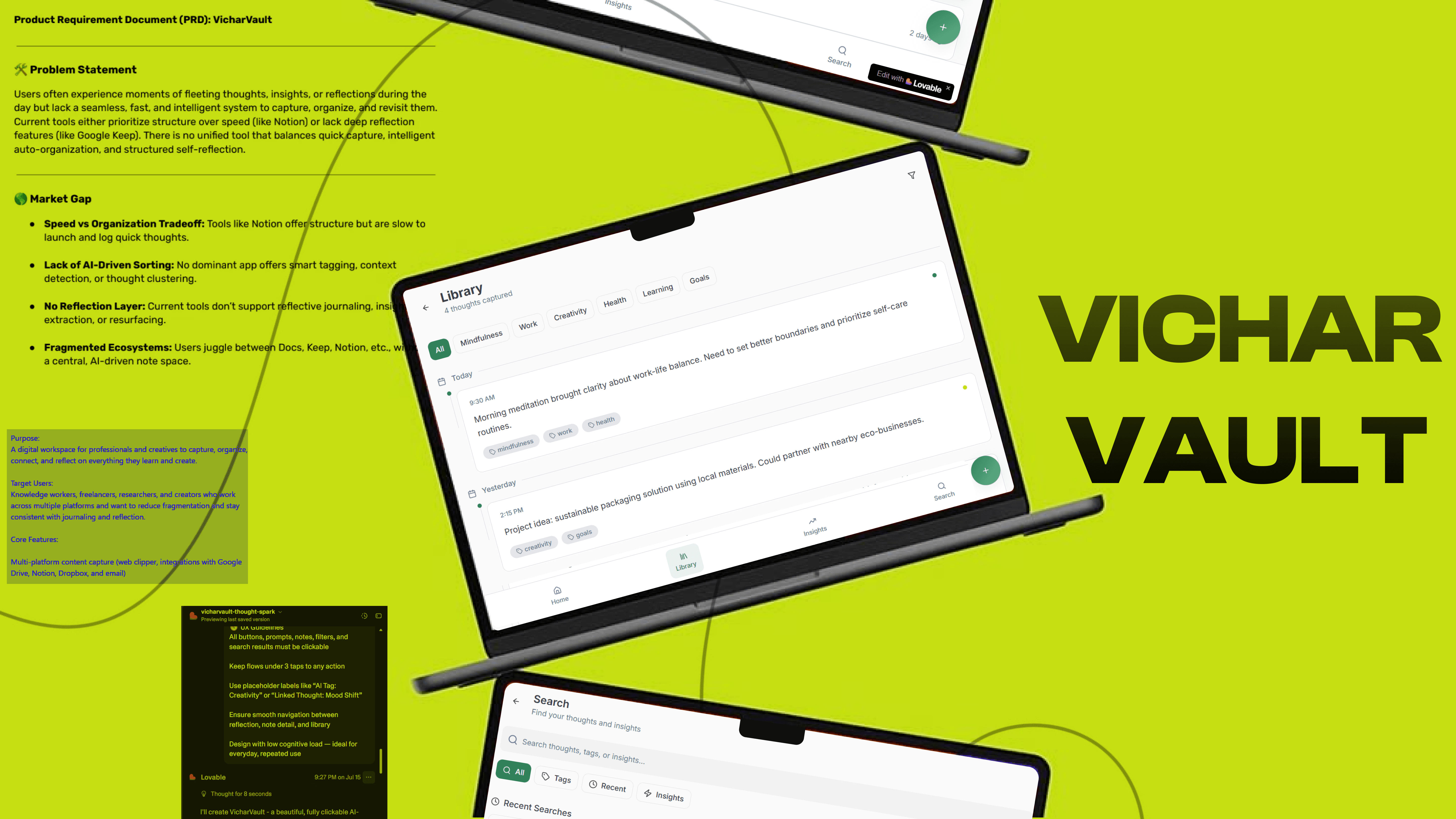
Product Requirement Document (PRD): VicharVault
Product Requirement Document (PRD): VicharVault
Problem Statement Users often experience moments of fleeting thoughts, insights, or reflections during the day but lack a seamless, fast, and intelligent system to capture, organize, and revisit them. Current tools either prioritize structure over speed (like Notion) or lack deep reflection features (like Google Keep). There is no unified tool that balances quick capture, intelligent auto-organization, and structured self reflection.
Market Gap
Speed vs Organization Tradeoff: Tools like Notion offer structure but are slow to launch and log quick thoughts
Lack of AI-Driven Sorting: No dominant app offers smart tagging, context detection, or thought clustering
No Reflection Layer: Current tools don’t support reflective journaling, insight extraction, or resurfacing
Fragmented Ecosystems: Users juggle between Docs, Keep, Notion, etc., without a central, AI-driven note space.
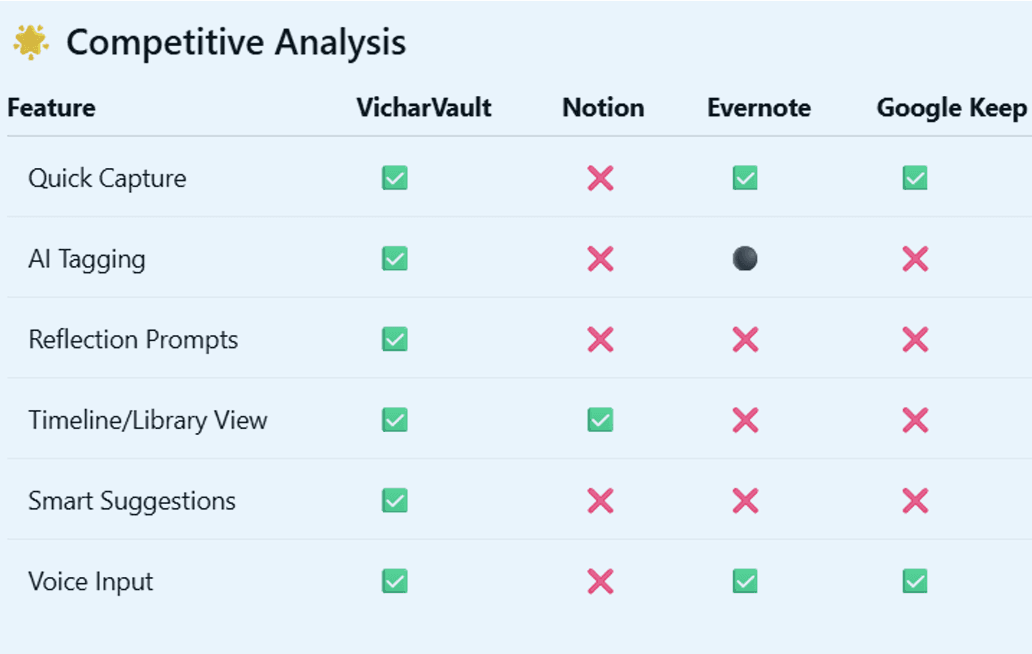
✅ Core Features
Quick Capture Widget (web/mobile)
Voice-to-Text Input with auto-transcription
AI Tagging & Clusterin Library View: Timeline, Tag Graph, Project Buckets
Smart Search and semantic filters
Reflection Journal & Prompts
Weekly Digest/Insight Highlights
Dark Mode
Offline Mode
Sync
⛰️ Context
People increasingly seek mindfulness, journaling, and personal growth tools
AI assistance is expected, not optional, especially in productivity
Reflection is a growing category (e.g., journaling apps)
Mobile-first, but needs desktop parity
🔃 User Flow
User Flow 1:
Capture > Auto Tag > Organize > Reflect > Rediscover User taps QuickNote icon Types or speaks a note AI processes and tags it System places note in appropriate bucket (e.g., Work, Emotions, Ideas) User views timeline or reads daily digest App surfaces similar notes or asks reflection question)
User Flow 2:
Reflection and Rediscovery User opens the app at end of day/week App shows personalized reflection prompt (e.g., "What stood out today?" or "How did your energy shift?") User responds via text or voice AI links this entry to relevant previous notes Visual insight map displays emotional trends, recurring themes. App suggests older related notes or ideas for continuation.
📊 Information Architecture & Data Model
Capture DB: Note ID, Timestamp, Content, Type, Source (voice/text)
AI Tags DB: Tags, Projects, Sentiment, Topic
User Data: Profile, Preferences, Mood Tracker (optional)
Reflection Layer: Prompts, Answers, Linked Notes
🎨 UI/UX Requirements (Tone & Style)
Minimalist and calming interface
Use soft colors (light grey, deep green, lavender)
Frictionless UX: <2 taps to capture
Strong typography (e.g., Inter, Satoshi)
Accessible design (A11Y ready)
Mobile-first, responsive
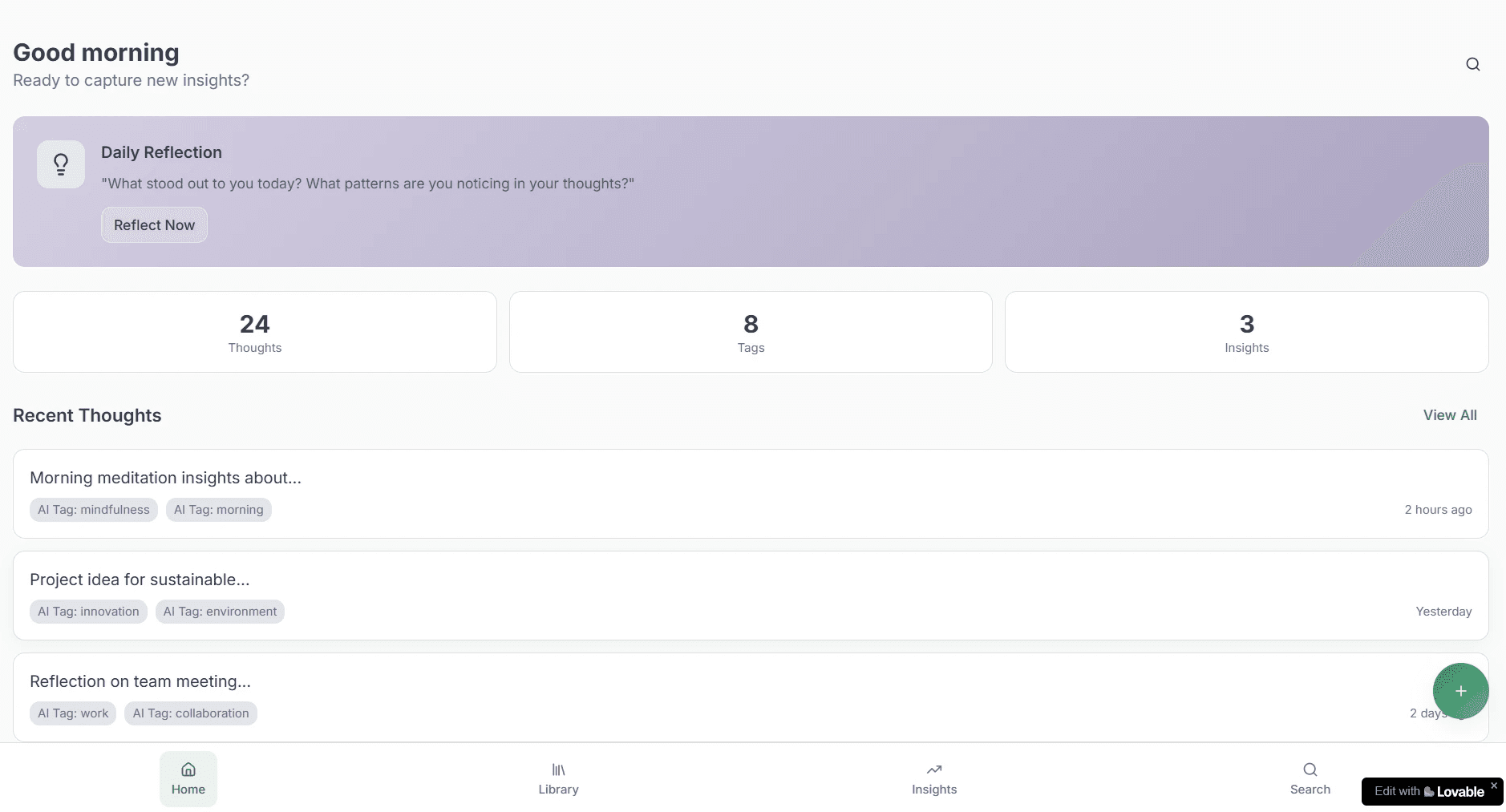
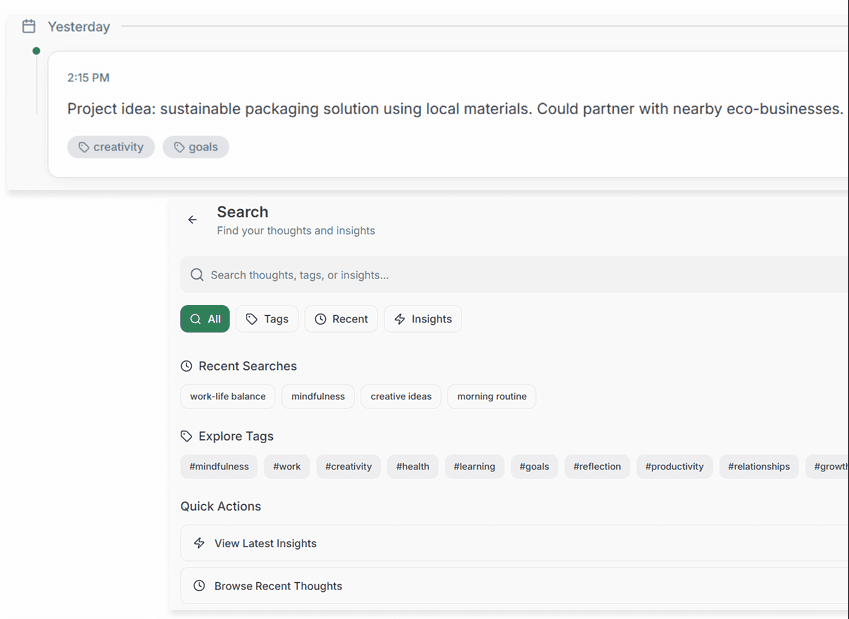
To prototype, I used Lovable app.
You can click here to view and interact with the prototype